![Web-colour (1).png]](hs-fs/hubfs/Web-colour%20(1)821e.png?width=104&height=50&name=Web-colour%20(1).png)
1) Tap on 'Edit Profile' on your Instagram Business Account
8ad3.png?width=300&name=image%20(24).png)
2) Tap on 'Action Buttons'
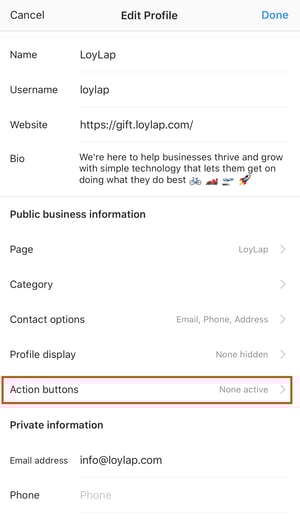
3) Tap on 'LoyLap'
a301.png?width=300&name=image%20(25).png)
4) Add your unique ordering URL
9eec.jpg?width=688&name=unnamed%20(1).png)
To get your unique URL - Search for your business here
5) Tap on 'Done' once you see this notification
e064.png?width=300&name=image%20(26).png)
You will now see a button called 'Order Food' on your Instagram page which leads to your pre-order menu.
e189.png?width=300&name=image%20(27).png)